Components / Pickers
Wheel picker and time dial
Touch-style pickers: drums of options you spin, and a clock face for setting a time.
Functions: cui_time_dial, cui_wheel_picker
Usage
cui_wheel_picker(ui, "month", month_names, 12, &month, .width = CUI_PX(128), .loop = true);
cui_time_dial(ui, "alarm", &hour, &minute, 232);
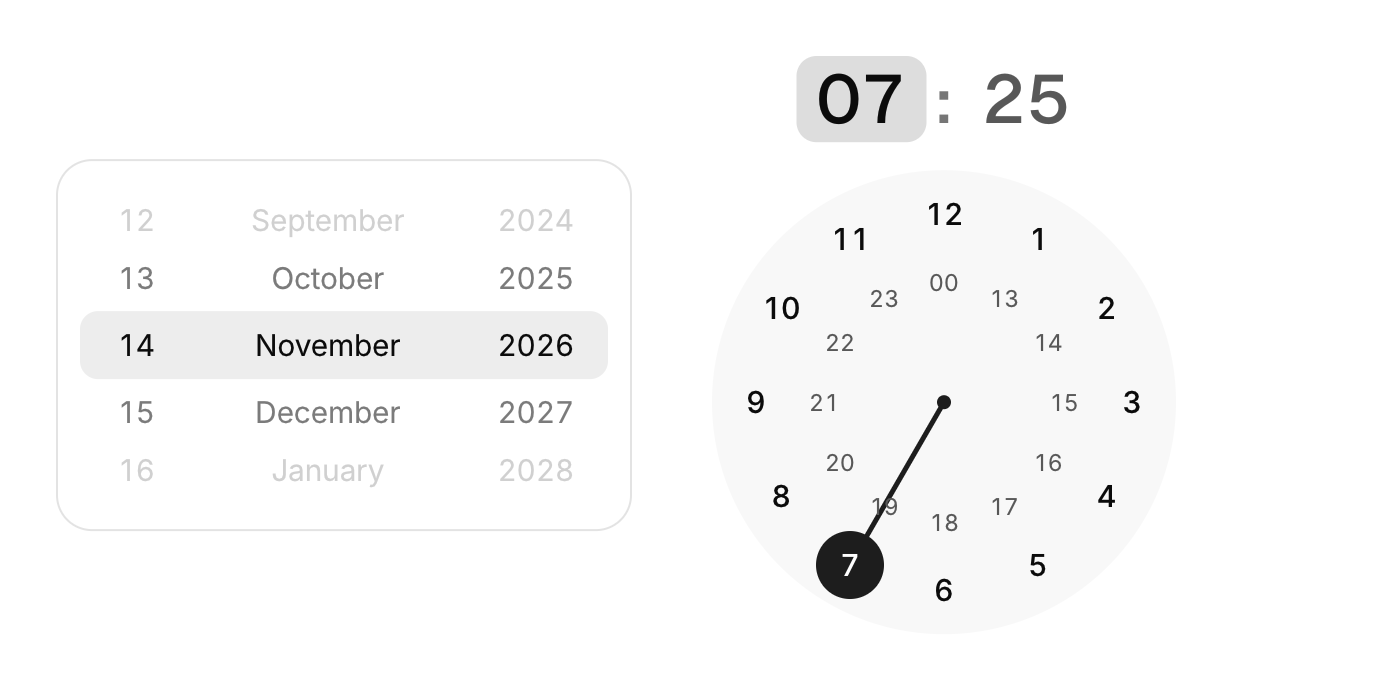
Wheels are drums of options: drag with momentum, scroll or use the arrow keys, and they snap to an item. Set loop for values that wrap. Put several side by side with join_left / join_right to share one selection band, as in a date reel.
The time dial sets hours on two rings (1 to 12 outside, 13 to 00 inside), then switches to minutes when you let go. The hand springs the short way round. Click the hour or minute at the top to choose which one you set.
Keyboard
- Wheels are drums of options: drag with momentum, scroll or use the arrow keys, and they snap to an item.
Options of cui_wheel_picker
| Option | Type | Default | Description |
|---|---|---|---|
.rows | int | 5 | rows in view, made odd so the selected one sits in the middle; default 5 |
.width | cui_size | Width: CUI_FILL, CUI_FIT, CUI_PX(n) or CUI_PCT(n); unset uses the component's own. | |
.loop | bool | the items wrap around: after the last comes the first again | |
.join_left | bool | squares off the left end of the selection band, to join a wheel on that side | |
.join_right | bool | squares off the right end of the selection band, to join a wheel on that side |
Related
- Ruler and histogram sliders: Two sliders that show context: a ruler that slides under a fixed marker, and a range slider drawn over the distribution of the data.
- Time picker: Picks a time of day from scrolling columns of hours and minutes.
- Knob, fader and level meter: A rotary knob, a vertical fader and a level meter: the controls of audio, synth and mixer panels.
- Date range picker: Picks a start and an end date, with presets such as the last 7 days.