Components / Pickers
Ruler and histogram sliders
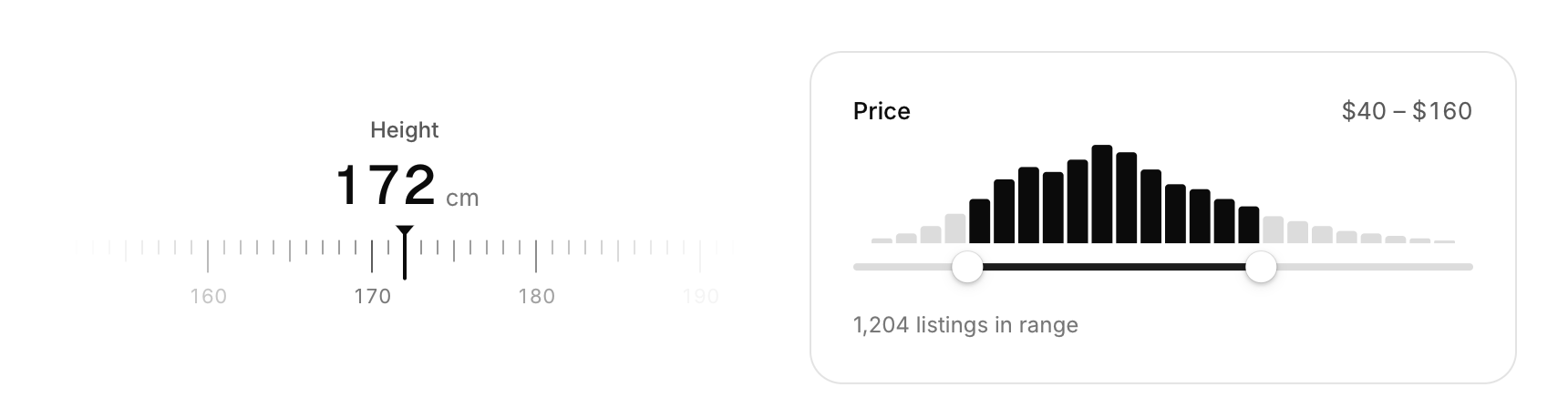
Two sliders that show context: a ruler that slides under a fixed marker, and a range slider drawn over the distribution of the data.
Functions: cui_histogram_slider, cui_ruler_slider
Usage
cui_ruler_slider(ui, "Height", &height, 120, 220, .unit = "cm");
cui_histogram_slider(ui, "Price", bins, 24, &lo, &hi, 0, 240, .format = "$%.0f");
The ruler is a tape that slides under a fixed marker; throw it and it glides, then snaps to step. Options: step, major_every (labelled ticks), spacing (points per step), format, unit, width. The histogram slider is a range slider with the distribution it filters drawn above it; bars inside the range light up.
Keyboard
- The ruler takes Tab, and Left, Right, Up and Down move the value a step. The histogram slider's two handles are dragged with the pointer; they have no keys yet.
Options of cui_histogram_slider
| Option | Type | Default | Description |
|---|---|---|---|
.height | float | Height in points; 0 uses the component's own. | |
.format | const char * | A printf format for the values, such as "%.0f ms". |
Options of cui_ruler_slider
| Option | Type | Default | Description |
|---|---|---|---|
.step | float | The amount one step changes the value by. | |
.major_every | int | 10 | every Nth tick is long and labelled, default 10; Shift+arrows move this many steps |
.spacing | float | 9 | points between two ticks (one step apart), default 9 |
.format | const char * | A printf format for the values, such as "%.0f ms". | |
.unit | const char * | A unit shown after the value. | |
.width | cui_size | Width: CUI_FILL, CUI_FIT, CUI_PX(n) or CUI_PCT(n); unset uses the component's own. |
Related
- Knob, fader and level meter: A rotary knob, a vertical fader and a level meter: the controls of audio, synth and mixer panels.
- Wheel picker and time dial: Touch-style pickers: drums of options you spin, and a clock face for setting a time.
- Emoji picker: A searchable grid of every emoji in nine groups, with the recently used ones first.
- Time picker: Picks a time of day from scrolling columns of hours and minutes.