Components / Data display
Terminal
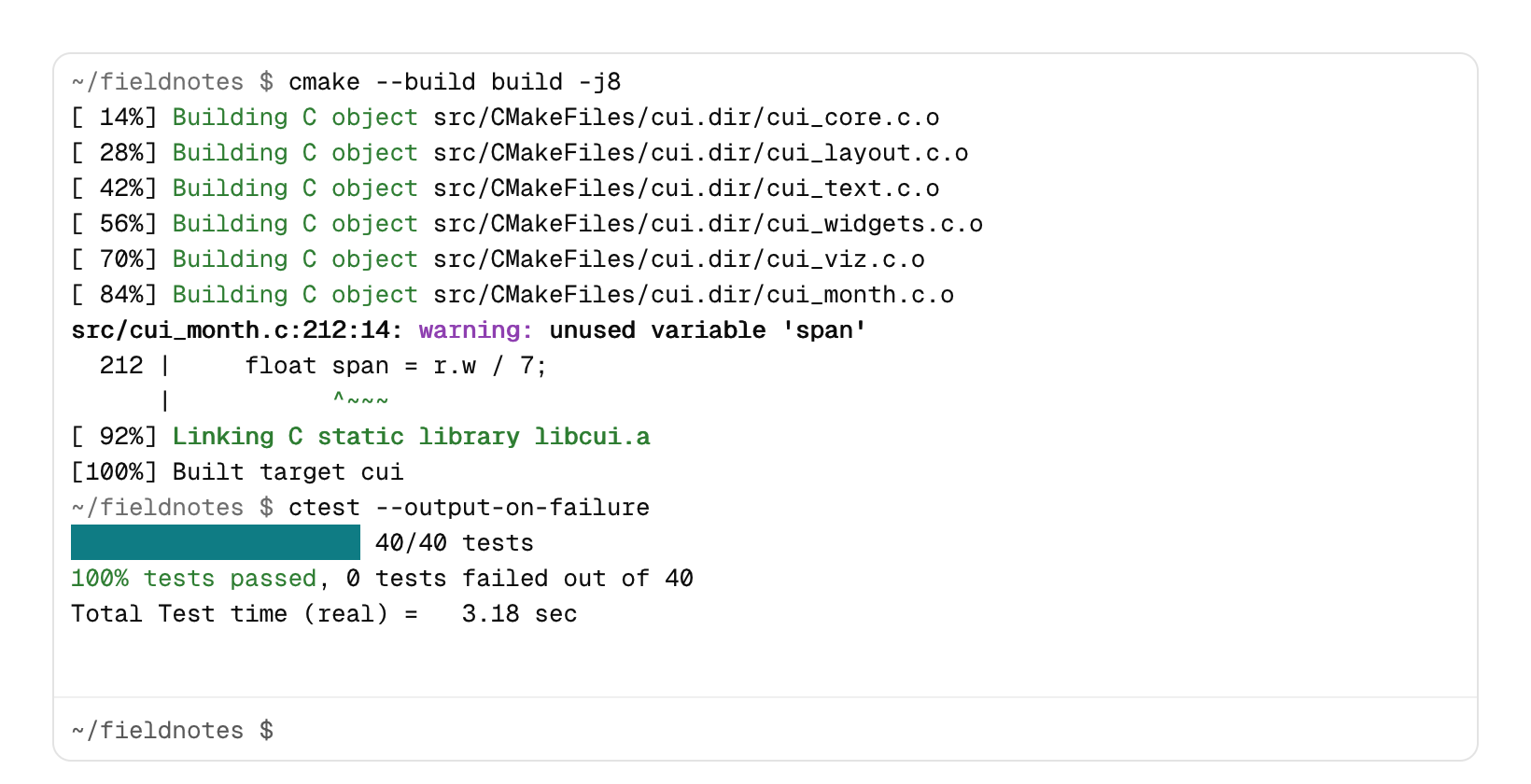
Output over an input line, for build logs, a game console or a REPL.
Functions: cui_terminal, cui_terminal_init, cui_terminal_printf, cui_terminal_write
Usage
static char text[256 * 1024];
static cui_terminal_line lines[4096];
static cui_terminal_buffer term;
cui_terminal_init(&term, text, sizeof text, lines, 4096);   /* once */

cui_terminal_write(&term, child_output, n);                  /* bytes as they come, escapes and all */
cui_terminal_printf(&term, "\x1b[32mdone\x1b[0m in %.1f s\n", secs);

cui_terminal_result r = cui_terminal(ui, "term", &term, .height = 320, .prompt = "$ ");
if (r.command) run_command(r.command);                       /* Enter: the line typed, already echoed */
if (r.interrupt) stop_child();                               /* Ctrl+C with nothing selected */
Like the log console, the app owns the storage, a byte ring and an array of line records, and nothing is allocated while writing: when either fills up, the oldest lines go.
Output is read as it is written. \n starts a line, \r makes the next text start the line over (so progress bars redraw in place), tabs go to the next stop of 8, and backspace takes the last character. Color sequences (ESC [ … m: the 16 colors, 256 colors and 24-bit color, bold, dim, underline and inverse) are kept and drawn. ESC [ K after \r clears the line, ESC [ 2 J clears the screen, and other sequences (cursor moves, titles, links) are dropped, so the output of most command line tools reads cleanly. A sequence split across two writes still works. The 16 colors are tuned separately for light and dark mode, so every one of them reads on the panel. The block characters ▀ ▄ █ ▌ ▐ ░ ▒ ▓ and the eighth blocks are drawn as cells rather than taken from the font, so bars join without gaps.
Long lines wrap at the panel width. Each line keeps its count of characters, so wrapping costs nothing extra, and only the rows in view are drawn: 40,000 lines take about a millisecond per frame. The view follows new output while it is at the bottom; scrolling up stops that and shows a thin bar, and scrolling back down turns it on again. Text in right-to-left scripts is shaped and put in reading order.
Drag over the output to select, and press Ctrl+C (Cmd+C on macOS) to copy it without the color codes. With nothing selected, Ctrl+C clears the input, prints ^C and sets interrupt. Ctrl+L clears the screen, Up and Down walk back through the last 32 commands, and clicking the output puts the caret at the prompt. .no_input = true leaves just the output. .size sets the text size (13 by default) and a .height of -1 fills the parent.
Keyboard
- Drag over the output to select, and press Ctrl+C (Cmd+C on macOS) to copy it without the color codes.
- With nothing selected, Ctrl+C clears the input, prints
^Cand setsinterrupt. - Ctrl+L clears the screen, Up and Down walk back through the last 32 commands, and clicking the output puts the caret at the prompt.
Options of cui_terminal
| Option | Type | Default | Description |
|---|---|---|---|
.width | cui_size | fill | default fill |
.height | float | 320 | default 320; negative fills the space |
.size | float | 13 | font size, default 13 |
.prompt | const char * | "$ " | default "$ " |
.no_input | bool | output only |
cui_terminal_buffer
| Field | Type | Description |
|---|---|---|
text | char * | the bytes given to cui_terminal_init, holding the lines and their color sequences |
text_cap | uint32_t | size of text in bytes |
lines | cui_terminal_line * | the line records given to cui_terminal_init |
line_cap | int | how many records lines has room for; 0 when the buffer cannot be used |
first | int | ring of lines; the last one is still being written |
count | int | ring of lines; the last one is still being written |
end | uint32_t | where the next byte goes |
total | uint64_t | lines ever started |
mode | uint8_t | parser: text, escape, CSI or OSC |
seq_n | uint8_t | bytes of seq read so far |
seq | char[30] | the escape sequence being read, so a write can split one |
cr | bool | a \r was seen: the next character starts the line over |
cui_terminal_line
| Field | Type | Description |
|---|---|---|
offset | uint32_t | where the line's bytes start in the buffer's text |
len | uint32_t | bytes of the line, with its color sequences |
cols | uint32_t | character cells the line takes, before wrapping |
cui_terminal_result
| Field | Type | Description |
|---|---|---|
command | const char * | the line entered (Enter), already echoed; valid this frame |
interrupt | bool | Ctrl+C with nothing selected |
Related
- Log console: A log view for many thousands of lines, with level filters, search, follow and copy.
- Hex viewer: The bytes of a file or of memory in hex and ASCII, for binary tools, emulators and debuggers.
- Flame graph: A profiler timeline: time runs left to right and call depth top to bottom, so each span sits in the row of its depth, under its parent.
- Property inspector: A panel of named properties in folding groups, each edited with the control that fits its type.