Components / Data display
Log console
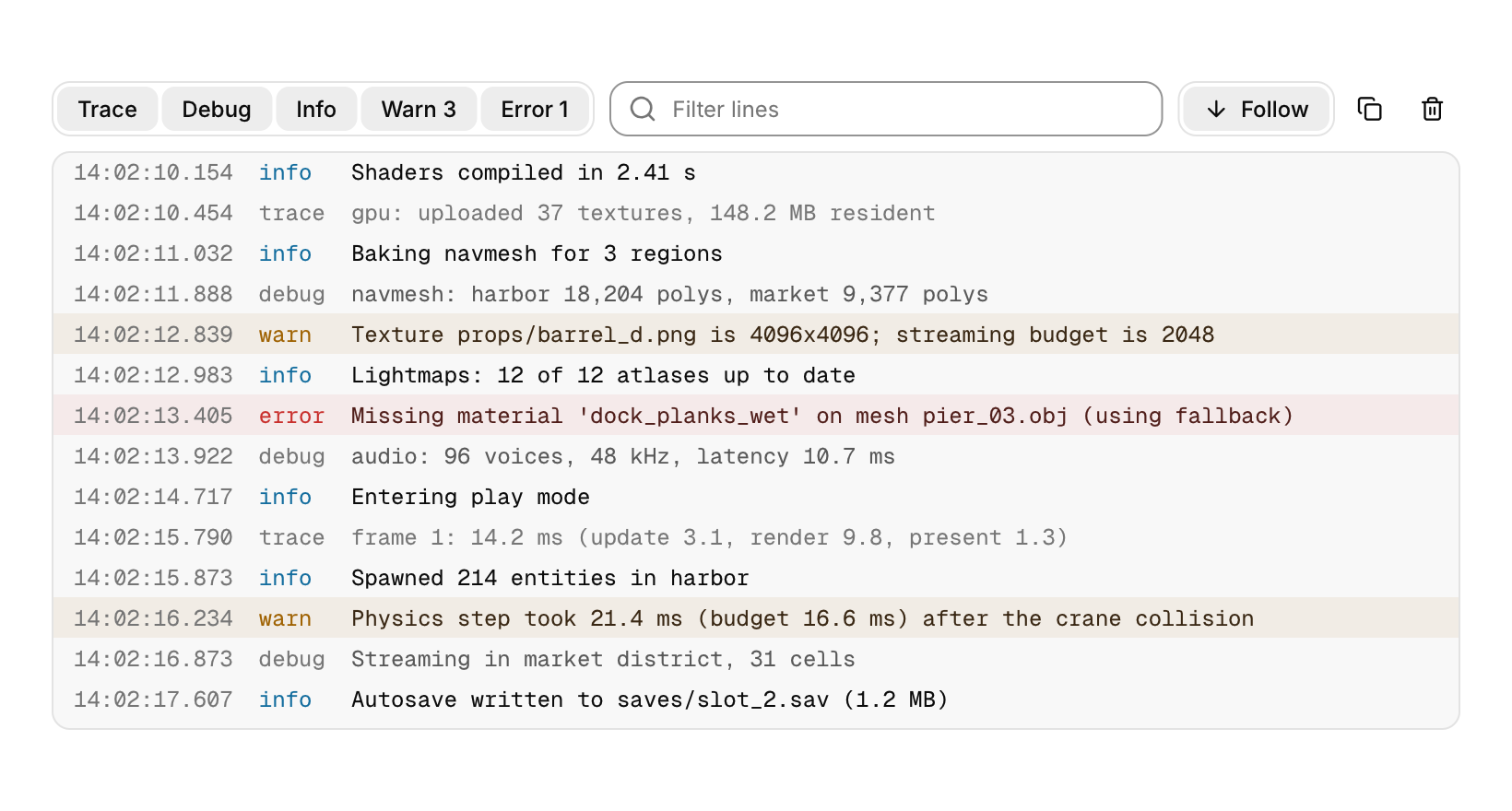
A log view for many thousands of lines, with level filters, search, follow and copy.
Functions: cui_log_append, cui_log_init, cui_log_view
Usage
static cui_log_line lines[8192];
static char text[512 * 1024];
static cui_log_buffer log;
cui_log_init(&log, lines, 8192, text, sizeof text);   /* once */

log.now = seconds_since_start();                     /* timestamp for the next lines */
cui_log_append(&log, CUI_LOG_WARN, "Physics step took %.1f ms (budget %.1f ms)", step_ms, budget_ms);

cui_log_view(ui, "log", &log, .height = 320, .timestamps = true);
The app owns the storage: an array of line records and a byte buffer for the text, used as a ring. Appending never allocates; when either fills up the oldest lines are dropped, and a line longer than the whole text buffer is cut to fit. The view builds only the rows in sight, so a buffer of many thousands of lines scrolls as fast as a short one, and it keeps a small index of the lines that pass its filter (at most one entry per line slot, freed with the context).
Each line shows its level as a quiet tag (warnings and errors also tint their row), an optional HH:MM:SS.mmm time and the text in the code font. The toolbar filters by level (warning and error counts appear on their toggles, which shorten to initials when the console is narrow), searches as you type (matches are marked and the field counts the lines found), and Follow keeps the newest line in view: scrolling up turns it off, coming back to the bottom turns it on. Copy takes the selected lines or, with no selection, every line shown; Clear empties the buffer. Click a line to select it, drag or Shift+click for a range. With the list focused, the arrows move through lines, Shift+arrows extend the selection, Page Up, Page Down and Home jump, End returns to following, Ctrl+A selects all, Ctrl+C copies and Esc clears the selection.
Keyboard
- Click a line to select it, drag or Shift+click for a range.
- With the list focused, the arrows move through lines, Shift+arrows extend the selection, Page Up, Page Down and Home jump, End returns to following, Ctrl+A selects all, Ctrl+C copies and Esc clears the selection.
Options of cui_log_view
| Option | Type | Default | Description |
|---|---|---|---|
.width | cui_size | fill | default fill |
.height | float | 320 | default 320; negative fills the space |
.timestamps | bool | show each line's time as HH:MM:SS.mmm | |
.no_toolbar | bool | just the lines | |
.size | float | 12 | font size, default 12 |
cui_log_buffer
| Field | Type | Description |
|---|---|---|
now | double | timestamp given to the next appended line (seconds) |
lines | cui_log_line * | the line records given to cui_log_init |
line_cap | int | how many records lines has room for |
text | char * | the bytes given to cui_log_init, holding the text of the lines |
text_cap | uint32_t | size of text in bytes |
first | int | ring of lines: oldest record and how many |
count | int | ring of lines: oldest record and how many |
text_end | uint32_t | where the next line's text goes |
total | uint64_t | lines ever appended; line i of the buffer is number total - count + i |
level_count | int[CUI_LOG_LEVEL_COUNT] | lines of each level now in the buffer, indexed by cui_log_level |
cui_log_line
| Field | Type | Description |
|---|---|---|
offset | uint32_t | where the line's text starts in the buffer's text |
len | uint32_t | bytes of text, not counting the terminator |
time | double | the timestamp it was appended with, in seconds |
level | uint8_t | a cui_log_level |
Related
- Terminal: Output over an input line, for build logs, a game console or a REPL.
- Property inspector: A panel of named properties in folding groups, each edited with the control that fits its type.
- Hex viewer: The bytes of a file or of memory in hex and ASCII, for binary tools, emulators and debuggers.
- Diff viewer: Compares two versions of a text line by line.