Components / Data display
Property inspector
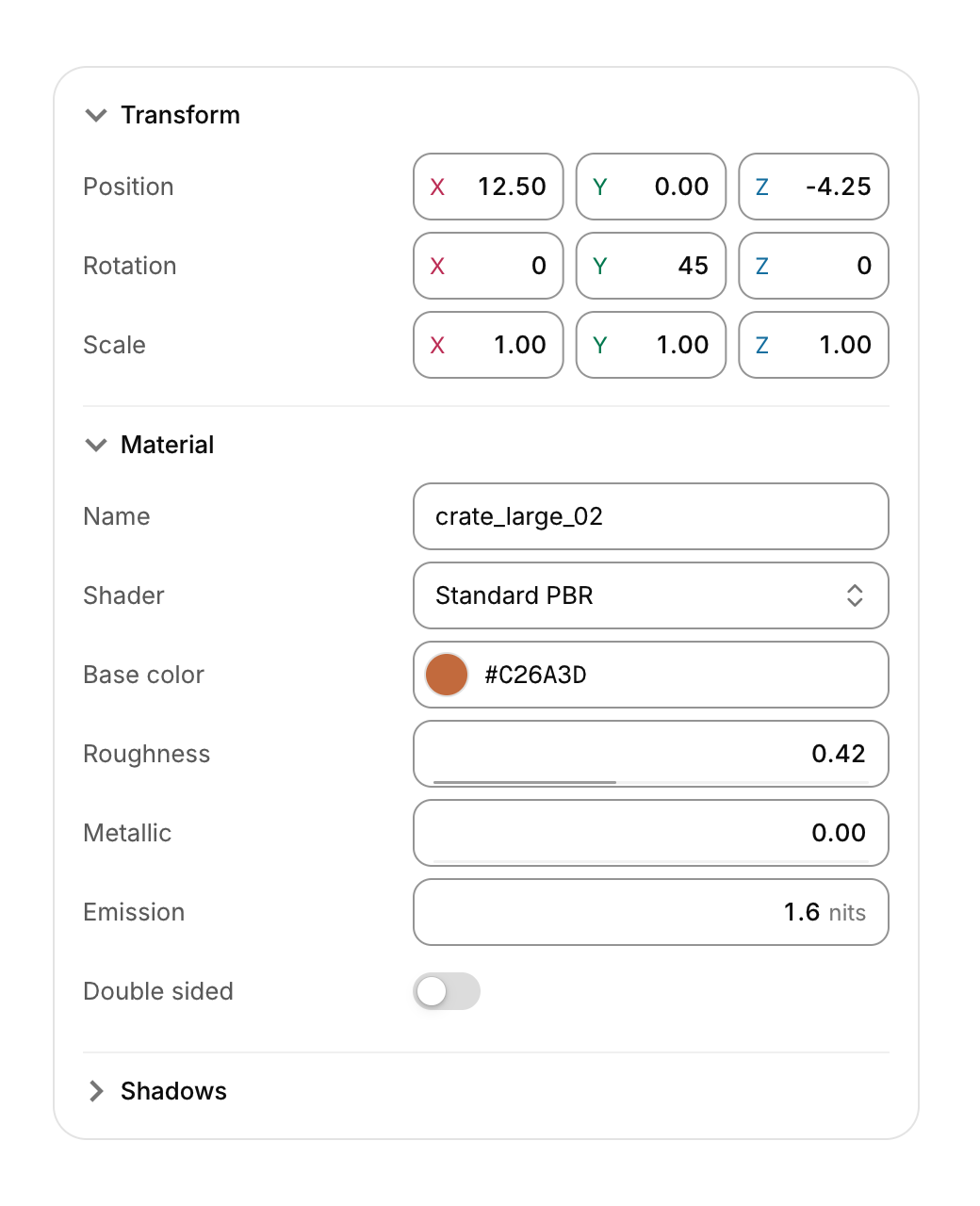
A panel of named properties in folding groups, each edited with the control that fits its type.
Functions: cui_inspector_begin, cui_inspector_end, cui_inspector_group, cui_prop_bool, cui_prop_color, cui_prop_enum, cui_prop_float, cui_prop_text, cui_prop_vec3
Usage
static bool transform_open = true, material_open = true;
static const char *const shaders[] = { "Standard PBR", "Unlit", "Toon", "Glass" };
if (cui_inspector_begin(ui, "props")) {
    if (cui_inspector_group(ui, "Transform", &transform_open)) {
        cui_prop_vec3(ui, "Position", obj->pos, .step = 0.05f, .format = "%.2f");
        cui_prop_vec3(ui, "Rotation", obj->rot, .step = 1, .format = "%.0f");
    }
    if (cui_inspector_group(ui, "Material", &material_open)) {
        cui_prop_text(ui, "Name", obj->name, sizeof obj->name);
        cui_prop_enum(ui, "Shader", shaders, 4, &obj->shader);
        cui_prop_color(ui, "Base color", &obj->base);
        if (cui_prop_float(ui, "Roughness", &obj->roughness, .min = 0, .max = 1, .step = 0.01f)) mark_dirty(obj);
        cui_prop_float(ui, "Emission", &obj->emission, .step = 0.1f, .suffix = "nits");
        cui_prop_bool(ui, "Double sided", &obj->double_sided);
    }
    cui_inspector_end(ui);
}
Each row is a label on the left and an editor on the right, built from the library's own fields: number rows (cui_prop_float, cui_prop_int) are scrub fields, so dragging the field or its label sideways changes the value (Shift for fine steps), a click types a number and the arrow keys step it. cui_prop_vec2, cui_prop_vec3 and cui_prop_vec4 put compact X, Y, Z and W fields side by side, their letters tinted with the theme's tones. Text rows are text fields, bool rows switches (.checkbox = true for a checkbox), enum rows selects and color rows open the color picker. Every row returns true when its value changed. With .min and .max a number shows where it sits in its range; without them it is unbounded. The label column takes 38% of the width (or .label_width); drag the line between the columns to resize it. Below 380 points the labels move above their editors.
Groups fold with a chevron and open and close with the disclosure spring; their rows are built only while open or closing, and groups end at the next group or at cui_inspector_end. Tab moves through the group headers and every editor in order; Enter, Space or the left and right arrows fold a focused group.
Keyboard
- Each row is a label on the left and an editor on the right, built from the library's own fields: number rows (
cui_prop_float,cui_prop_int) are scrub fields, so dragging the field or its label sideways changes the value (Shift for fine steps), a click types a number and the arrow keys step it. - Tab moves through the group headers and every editor in order; Enter, Space or the left and right arrows fold a focused group.
Options of cui_inspector_begin
| Option | Type | Default | Description |
|---|---|---|---|
.width | cui_size | fill | default fill |
.label_width | float | 38% of the width | initial label column in points, default 38% of the width |
Options of cui_prop_bool, cui_prop_color, cui_prop_enum, cui_prop_float, cui_prop_text, cui_prop_vec3
| Option | Type | Default | Description |
|---|---|---|---|
.min | float | number and vector rows; both 0 = unbounded | |
.max | float | number and vector rows; both 0 = unbounded | |
.step | float | 1/100 of the range (0.1 unbounded) | drag and arrow step, default 1/100 of the range (0.1 unbounded) |
.format | const char * | from the step ("%.2f" for 0.01) | printf format, default from the step ("%.2f" for 0.01) |
.suffix | const char * | unit after the value, e.g. "px" or "deg" | |
.placeholder | const char * | text rows | |
.tooltip | const char * | shown on the label | |
.disabled | bool | Greyed out, and takes no input. | |
.checkbox | bool | bool rows: a checkbox instead of a switch |
Related
- Text field: A single-line field that edits text in a buffer you own, with a label, an icon, a hint and an error. The search field is a variant.
- Color picker: A swatch that opens a saturation and brightness square, a hue bar and preset swatches.
- Scrub field: A number you change by dragging sideways on it, as in design and 3D tools.
- Log console: A log view for many thousands of lines, with level filters, search, follow and copy.