Components / Navigation
Sidebar navigation
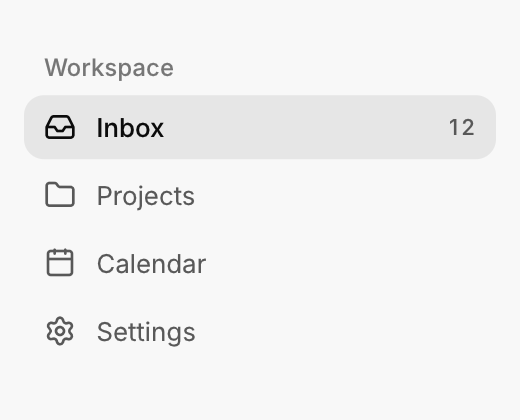
The items and section titles of an app's sidebar, with one highlight that follows the selection.
Functions: cui_nav_item, cui_nav_section
Usage
cui_nav_section(ui, "Workspace");
if (cui_nav_item(ui, "Inbox", .icon = CUI_ICON_INBOX, .badge = "12", .selected = page == 0)) page = 0;
if (cui_nav_item(ui, "Projects", .icon = CUI_ICON_FOLDER, .selected = page == 1)) page = 1;
All items of a group share one highlight that glides to the selected item.
cui_nav_item returns true on the frame it is clicked. It does not remember the selection: you keep the current page, as page does above, and pass .selected on every frame. The label is also the identity, so two items with the same label in one scope need a key: "Settings##team" shows "Settings". badge is text, so format a count yourself. Items without a group share one common group; name the groups when a window has two separate lists, so each keeps its own highlight. An item fills the width of its container. cui_nav_section draws a title above a set of items and returns nothing.
Keyboard
- Tab moves through the items, and Enter or Space selects the focused one.
Options of cui_nav_item
| Option | Type | Default | Description |
|---|---|---|---|
.icon | const char * | An icon: a CUI_ICON_* constant, or a string from another icon font. | |
.badge | const char * | small text at the right edge of the item, e.g. a count | |
.selected | bool | the current page: medium weight text, and the group's highlight glides to it | |
.group | const char * | items with the same group name share one highlight; NULL puts them in one common group |
Related
- Breadcrumb, pagination and stepper: Three ways to show position: the path to a page, the page of a list, and the step of a process.
- Tabs: Switches between views with a row of labels and an underline that slides to the active one.
- Table of contents: A list of a page's sections that follows the reader and scrolls to a section when clicked.
- Menu bar: The File, Edit, View row of a desktop app, with a menu under each title.