Components / Navigation
Breadcrumb, pagination and stepper
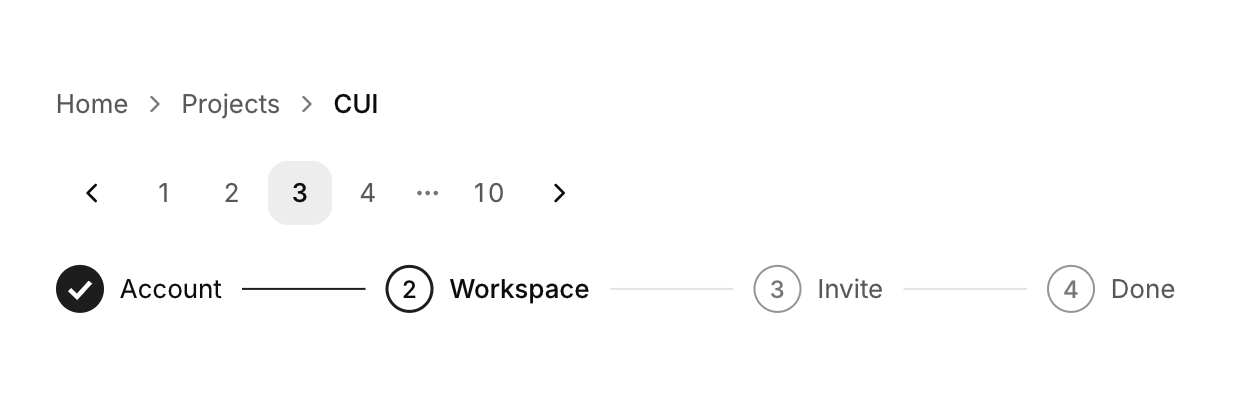
Three ways to show position: the path to a page, the page of a list, and the step of a process.
Functions: cui_breadcrumb, cui_pagination, cui_stepper
Usage
static int page = 0;
const char *steps[] = { "Account", "Plan", "Payment", "Review" };

int clicked = cui_breadcrumb(ui, (const char *[]){ "Home", "Projects", "CUI" }, 3);   /* index or -1 */
cui_pagination(ui, "pages", &page, page_count);                                        /* page is 0 based */
cui_stepper(ui, steps, 4, current);
cui_breadcrumb returns the index of the item that was clicked, or -1. The last item is the current page: it is not a link and is never returned. Each item is told apart by its text, so two levels with the same name need a key, as in "Docs##2".
cui_pagination returns true on the frame the page changes. page is your int, counted from 0 while the buttons show numbers from 1, and it is kept between 0 and page_count - 1. With seven pages or fewer, all are shown. Beyond that the first, the last and the pages around the current one stay, with an ellipsis for each gap.
cui_stepper returns nothing. current is the index of the step in progress, from 0: the steps before it are marked done, and passing the number of steps marks them all done. In a narrow row only the current step keeps its label.
Keyboard
- Tab moves through the breadcrumb's links and the pagination's page buttons, and Enter or Space follows or presses the focused one. The stepper only displays.
Related
- Table of contents: A list of a page's sections that follows the reader and scrolls to a section when clicked.
- Sidebar navigation: The items and section titles of an app's sidebar, with one highlight that follows the selection.
- Menu bar: The File, Edit, View row of a desktop app, with a menu under each title.
- Tabs: Switches between views with a row of labels and an underline that slides to the active one.