Components / Developer tools
Time histogram
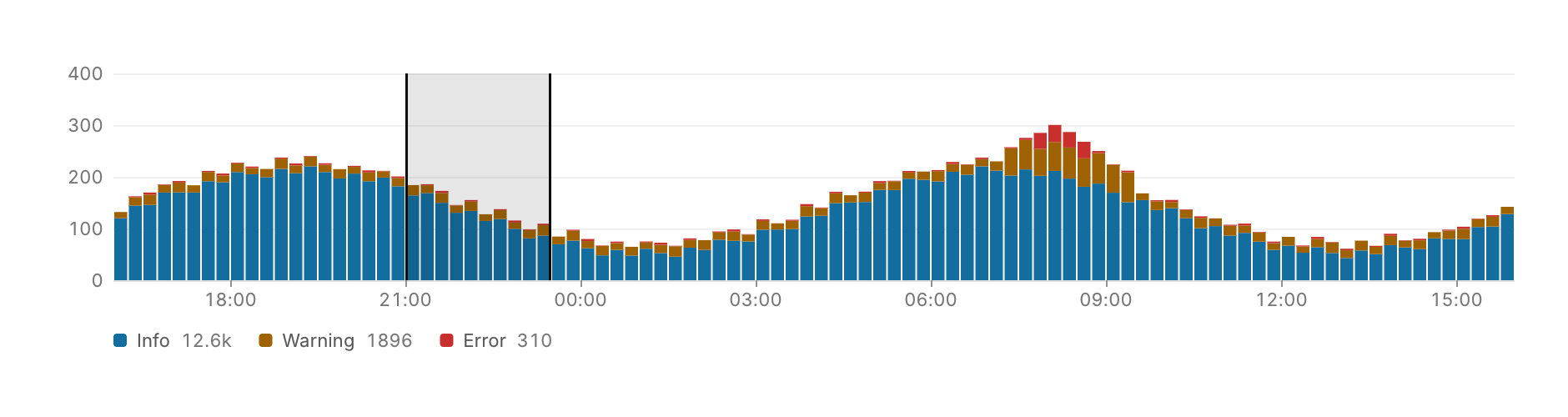
Event counts over time, stacked by series, as above a log search, with a legend that shows each series' total.
Functions: cui_time_histogram
Usage
const cui_histogram_series levels[] = { { "Info", info, CUI_TONE_INFO }, { "Warning", warn, CUI_TONE_WARNING }, { "Error", err, CUI_TONE_DANGER } };
static double from, to;   /* the selected range, Unix seconds; equal: none */
if (cui_time_histogram(ui, "volume", start, 900, 96, levels, 3, &from, &to).selection_changed)
    filter_logs(from, to);
Dragging across it selects a range of whole buckets, and a click clears it. A hover shows the bucket's times and its count in each series. The time labels pick their step from seconds to weeks to suit the width, and show dates once the span passes a day. Times are local, or UTC with utc.
Keyboard
None yet. The range is selected by dragging with the pointer.
Options of cui_time_histogram
| Option | Type | Default | Description |
|---|---|---|---|
.width | cui_size | Width: CUI_FILL, CUI_FIT, CUI_PX(n) or CUI_PCT(n); unset uses the component's own. | |
.height | float | 140 | default 140 |
.utc | bool | label times in UTC instead of local time |
cui_histogram_series
| Field | Type | Description |
|---|---|---|
name | const char * | shown in the legend and in the hover tooltip |
counts | const float * | one count per bucket; NULL counts as zeros |
tone | cui_tone | One of CUI_TONE_NEUTRAL, CUI_TONE_INFO, CUI_TONE_SUCCESS, CUI_TONE_WARNING, CUI_TONE_DANGER, CUI_TONE_VIOLET, CUI_TONE_TEAL, CUI_TONE_ROSE or CUI_TONE_ACCENT. |
cui_tone: CUI_TONE_NEUTRAL, CUI_TONE_INFO, CUI_TONE_SUCCESS, CUI_TONE_WARNING, CUI_TONE_DANGER, CUI_TONE_VIOLET, CUI_TONE_TEAL, CUI_TONE_ROSE, CUI_TONE_ACCENT
cui_time_histogram_result
| Field | Type | Description |
|---|---|---|
selection_changed | bool | *sel_start or *sel_end changed this frame (a drag, or a click that cleared it) |
hovered | int | bucket, or -1 |
Related
- Coverage: Test coverage as a tree built from the files' paths.
- Uptime bars: A status page: each service's current state and a bar for each day of its history.
- Blame: Source with who last changed each line.
- HTTP request bar: The method, the URL and Send, as in an API client.