Components / Inputs
Text area
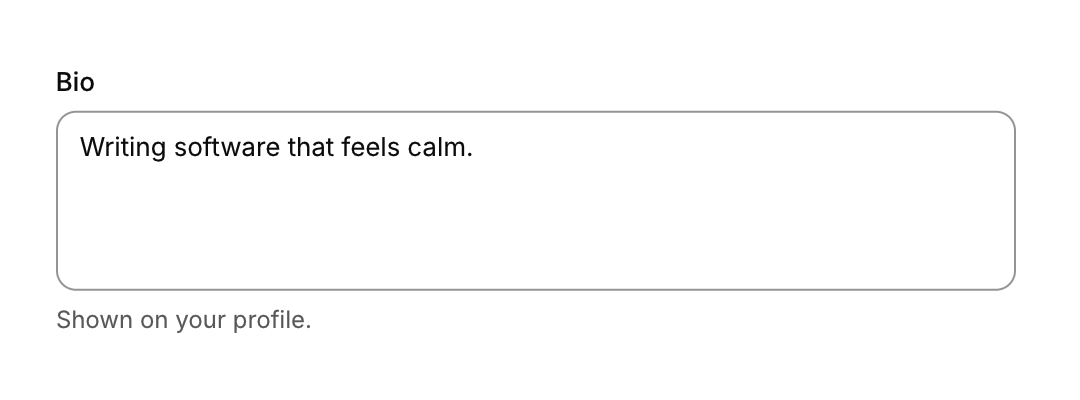
A multi-line text field that wraps and scrolls.
Functions: cui_textarea
Usage
static char bio[512], body[4096];
cui_textarea(ui, "bio", bio, sizeof bio, .label = "Bio", .height = 120);
cui_textarea(ui, "body", body, sizeof body, .height = -1);   /* fill the available height */
Word wraps, scrolls with the wheel, Up and Down move between visual lines. Enter inserts a newline; Ctrl+Enter submits.
Returns the same flags as the text field: CUI_CHANGED on a frame the text changes, CUI_SUBMITTED when it is submitted, and CUI_FOCUSED and CUI_BLURRED on the frames it gains and loses the focus. bio is your buffer and the next argument its size in bytes, the terminating zero included. The library edits it in place, never writes past it, and drops what does not fit without cutting a UTF-8 character in half. Lines are separated by \n. height is in points and defaults to 96, and a negative value fills the height left in the container. It takes the options of the text field. For source code, use the code editor.
Keyboard
- Word wraps, scrolls with the wheel, Up and Down move between visual lines.
- Enter inserts a newline; Ctrl+Enter submits.
Options of cui_textarea
| Option | Type | Default | Description |
|---|---|---|---|
.label | const char * | label above the field | |
.placeholder | const char * | Muted text shown while the field is empty. | |
.icon | const char * | leading icon | |
.hint | const char * | helper text below | |
.error | const char * | error text below (red) | |
.password | bool | shows dots instead of the text, with an eye button that reveals it | |
.disabled | bool | Greyed out, and takes no input. | |
.clearable | bool | x button when not empty | |
.autofocus | bool | Takes the keyboard focus when it first appears. | |
.read_only | bool | Shows the value but does not let it be edited. | |
.size | cui_control_size | One of CUI_SIZE_MD, CUI_SIZE_SM or CUI_SIZE_LG. | |
.width | cui_size | Width: CUI_FILL, CUI_FIT, CUI_PX(n) or CUI_PCT(n); unset uses the component's own. | |
.height | float | textarea: height in points; negative fills the space | |
.prefix | const char * | muted text before the value, e.g. "$" or "https://" | |
.suffix | const char * | muted text after the value, e.g. "USD" or "kg" |
Related
- Text field: A single-line field that edits text in a buffer you own, with a label, an icon, a hint and an error. The search field is a variant.
- Code editor: An editable code field with syntax highlighting, for shader editors, script consoles and config files.
- Number field: A field for a number in a range, typed or stepped with its buttons and the arrow keys.
- Tag input: A field that turns typed words into removable chips, kept as a comma separated list.