Components / Inputs
Tag input
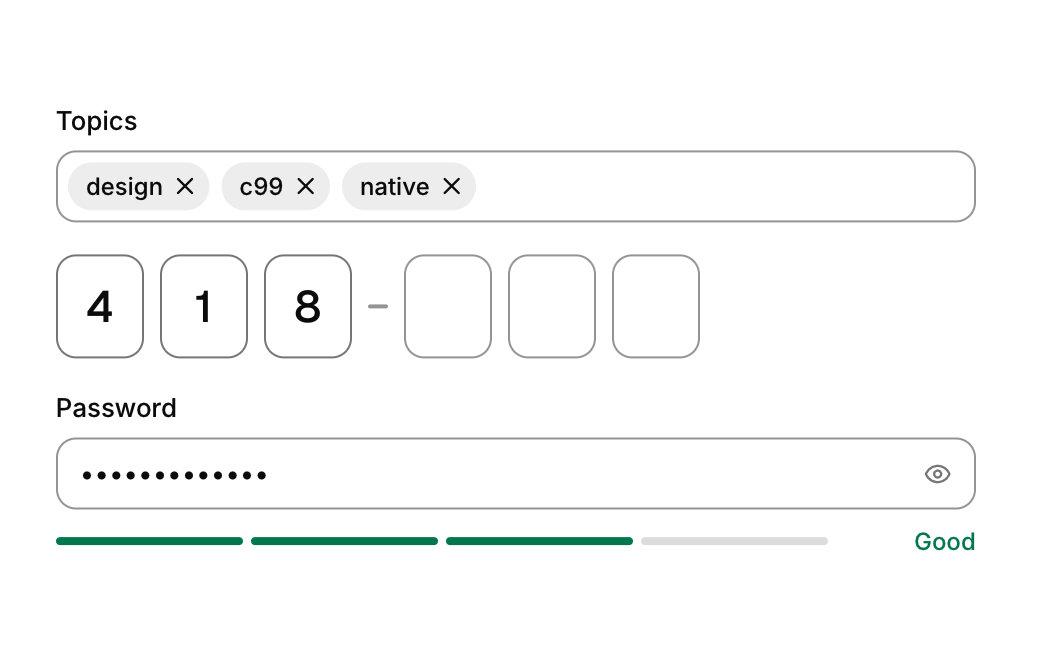
A field that turns typed words into removable chips, kept as a comma separated list.
Functions: cui_tag_input
Usage
static char tags[256] = "design, c99";
cui_tag_input(ui, "topics", tags, sizeof tags, .label = "Topics", .max_tags = 8);
Tags live in your buffer as a comma separated list. Enter or a comma adds the typed tag, the x on a chip removes it, Backspace in an empty field removes the last one.
Returns true on the frame a tag is added or removed. tags is your buffer and the next argument its size in bytes. The library rewrites it as "design, c99", tags joined by a comma and a space. To read the tags, split the text at the commas and trim the spaces. A tag that no longer fits in the buffer is not added. The word being typed is kept by the library and is not in your buffer until it becomes a tag.
Keyboard
- Enter or a comma adds the typed tag, the x on a chip removes it, Backspace in an empty field removes the last one.
Options of cui_tag_input
| Option | Type | Default | Description |
|---|---|---|---|
.label | const char * | A label shown above or beside the control. | |
.placeholder | const char * | Muted text shown while the field is empty. | |
.max_tags | int | most tags the field holds; once reached it takes no more typing. 0 means no limit | |
.width | cui_size | Width: CUI_FILL, CUI_FIT, CUI_PX(n) or CUI_PCT(n); unset uses the component's own. |
Related
- One time code: A row of boxes for a verification code, filled by typing or pasting.
- Number field: A field for a number in a range, typed or stepped with its buttons and the arrow keys.
- Password strength: A meter under a password field that scores the password from too short to strong.
- Text area: A multi-line text field that wraps and scrolls.