Components / Inputs
Password strength
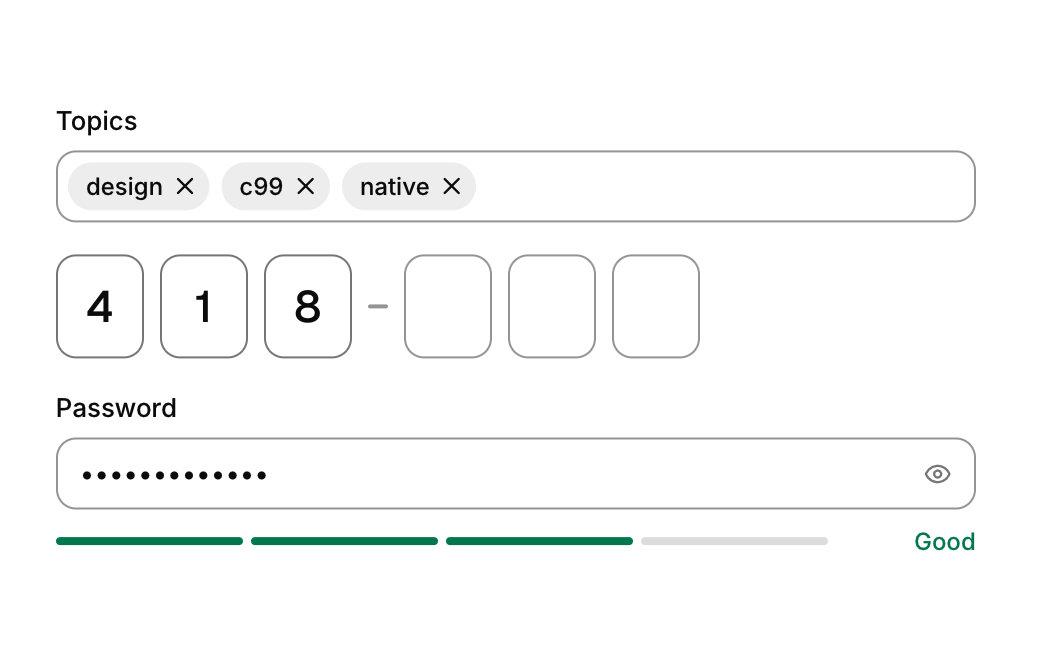
A meter under a password field that scores the password from too short to strong.
Functions: cui_password_strength
Usage
static char pw[64];
cui_input(ui, "pw", pw, sizeof pw, .label = "Password", .password = true);
int score = cui_password_strength(ui, pw);   /* 0 too short .. 4 strong */
Returns the score from 0 to 4 and draws four segments with a word beside them: "Too short", "Weak", "Fair", "Good" or "Strong". pw is your string, the same buffer the field edits; it is only read, and NULL or an empty string scores 0 and shows no word. The score counts simple rules: one point each for 8 characters, for 12 characters, for mixing lower and upper case, for a digit and for any other character, capped at 4, and at 1 while the password is shorter than 8. It does not know common passwords, so enforce your real policy with the field's error. The meter uses a fixed internal id, so two meters in one id scope need a cui_id_scope each.
Options of cui_input
| Option | Type | Default | Description |
|---|---|---|---|
.label | const char * | label above the field | |
.placeholder | const char * | Muted text shown while the field is empty. | |
.icon | const char * | leading icon | |
.hint | const char * | helper text below | |
.error | const char * | error text below (red) | |
.password | bool | shows dots instead of the text, with an eye button that reveals it | |
.disabled | bool | Greyed out, and takes no input. | |
.clearable | bool | x button when not empty | |
.autofocus | bool | Takes the keyboard focus when it first appears. | |
.read_only | bool | Shows the value but does not let it be edited. | |
.size | cui_control_size | One of CUI_SIZE_MD, CUI_SIZE_SM or CUI_SIZE_LG. | |
.width | cui_size | Width: CUI_FILL, CUI_FIT, CUI_PX(n) or CUI_PCT(n); unset uses the component's own. | |
.height | float | textarea: height in points; negative fills the space | |
.prefix | const char * | muted text before the value, e.g. "$" or "https://" | |
.suffix | const char * | muted text after the value, e.g. "USD" or "kg" |
Related
- Inline edit: Text that turns into a field when clicked, for renaming things in place.
- One time code: A row of boxes for a verification code, filled by typing or pasting.
- Scrub field: A number you change by dragging sideways on it, as in design and 3D tools.
- Tag input: A field that turns typed words into removable chips, kept as a comma separated list.