Components / Data display
JSON viewer
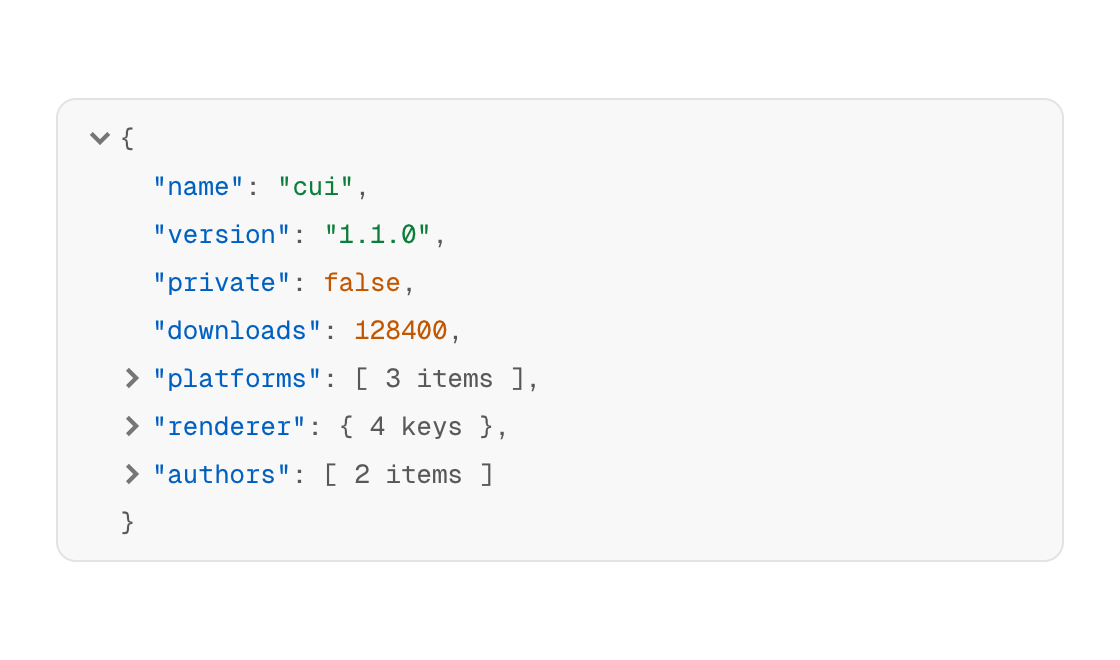
JSON shown as a tree that folds, with a color for each type of value.
Functions: cui_json_view
Usage
if (!cui_json_view(ui, "response", body, .expand_depth = 1)) { /* not valid JSON: the view shows where it broke */ }Collapsed objects and arrays show their size; click an object's or an array's row to fold or unfold it.
Returns true when the text is valid JSON. When it is not, the call returns false and the view shows the reason with the line and column where parsing stopped. body is your string. It is parsed again on every frame and nothing of it is kept. The library remembers which objects and arrays are folded, under id and by their position in the document, so a document with a different shape should get a different id. expand_depth is the number of levels open at first (2), and applies only the first time an id shows valid JSON. A document of more than 4,096 values or 64 levels is reported as invalid.
Keyboard
None yet. Folding and unfolding is done with the pointer.
Options of cui_json_view
| Option | Type | Default | Description |
|---|---|---|---|
.expand_depth | int | 2 | levels of the tree that start open, default 2 |
.max_height | float | points; taller content scrolls. 0 shows everything |
Related
- Markdown view: Renders markdown text as native content: headings, lists, tables, code, task lists and links.
- Code block: Read-only source code with syntax highlighting, optional line numbers and a copy button.
- Code editor: An editable code field with syntax highlighting, for shader editors, script consoles and config files.
- File browser and picker: A folder view with sorting and navigation, and the open and save dialogs built from it.