Components / Data display
Code block
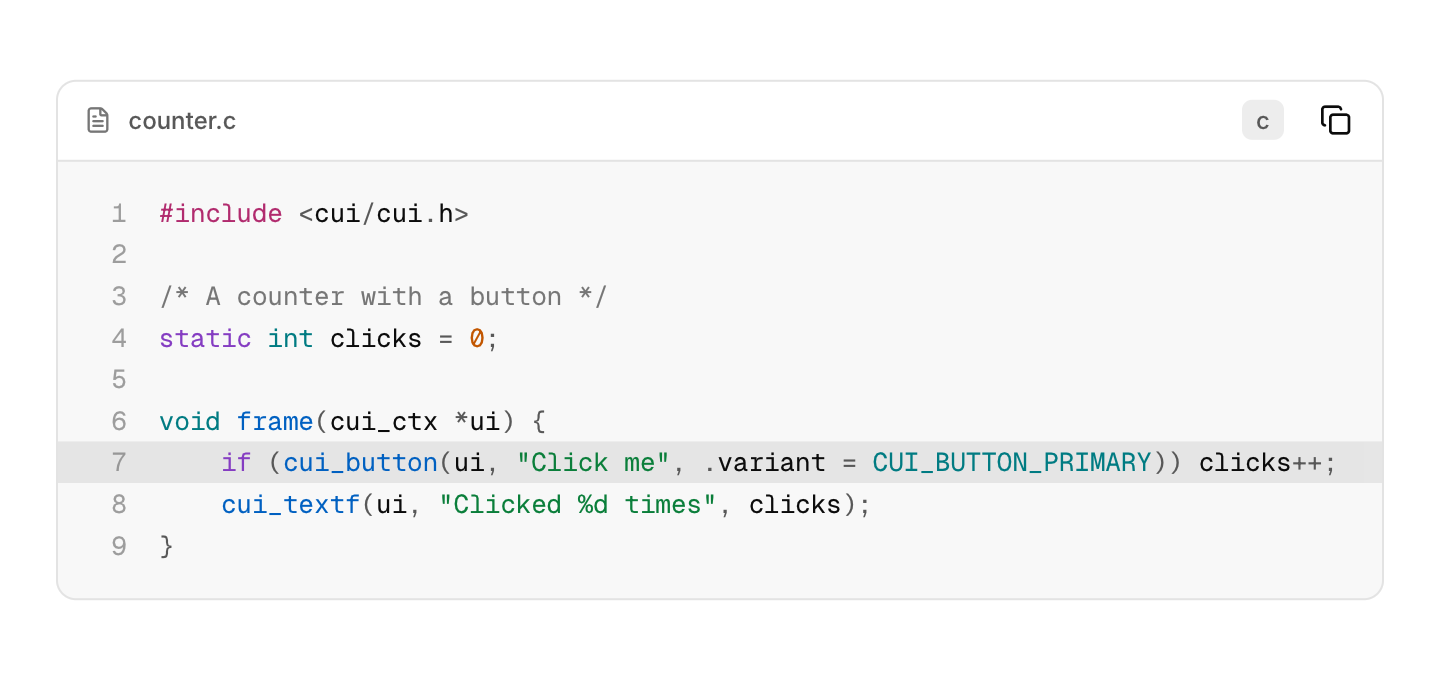
Read-only source code with syntax highlighting, optional line numbers and a copy button.
Functions: cui_code_block
Usage
cui_code_block(ui, "counter", source, .lang = "c", .title = "counter.c", .line_numbers = true, .highlight_from = 7);Highlighting for C, C++, JavaScript, TypeScript, Python, Rust, Go, JSON and shell, in colors that follow the theme. Long lines scroll sideways, max_height makes the block scroll vertically, and the copy button morphs into a check after copying.
Returns nothing. source is your string, read on every frame, so it can change while it is shown. lang takes "c", "cpp", "js", "ts", "python", "rust", "go", "json" or "shell", and "text" for no colors. The title bar shows title, or the language when there is no title, and holds the copy button: a block with neither, or with no_header, has no copy button. highlight_from and highlight_to are line numbers from 1, and highlight_from alone marks one line. To let people change the code, use the code editor.
Keyboard
- The copy button takes Tab, and Enter or Space presses it. The code itself takes no focus.
Options of cui_code_block
| Option | Type | Default | Description |
|---|---|---|---|
.lang | const char * | "c", "cpp", "js", "ts", "python", "rust", "go", "json", "shell" or "text" (no colors); shown in the title bar | |
.title | const char * | e.g. a file name | |
.line_numbers | bool | a column of line numbers on the left | |
.highlight_from | int | 1 based line range to emphasize | |
.highlight_to | int | 1 based line range to emphasize | |
.max_height | float | none | scrolls beyond this, default none |
.size | float | 13 | font size, default 13 |
.no_header | bool | no title bar, even with a lang |
Related
- Code editor: An editable code field with syntax highlighting, for shader editors, script consoles and config files.
- JSON viewer: JSON shown as a tree that folds, with a color for each type of value.
- File browser and picker: A folder view with sorting and navigation, and the open and save dialogs built from it.
- Markdown view: Renders markdown text as native content: headings, lists, tables, code, task lists and links.