Components / Planning
Week calendar
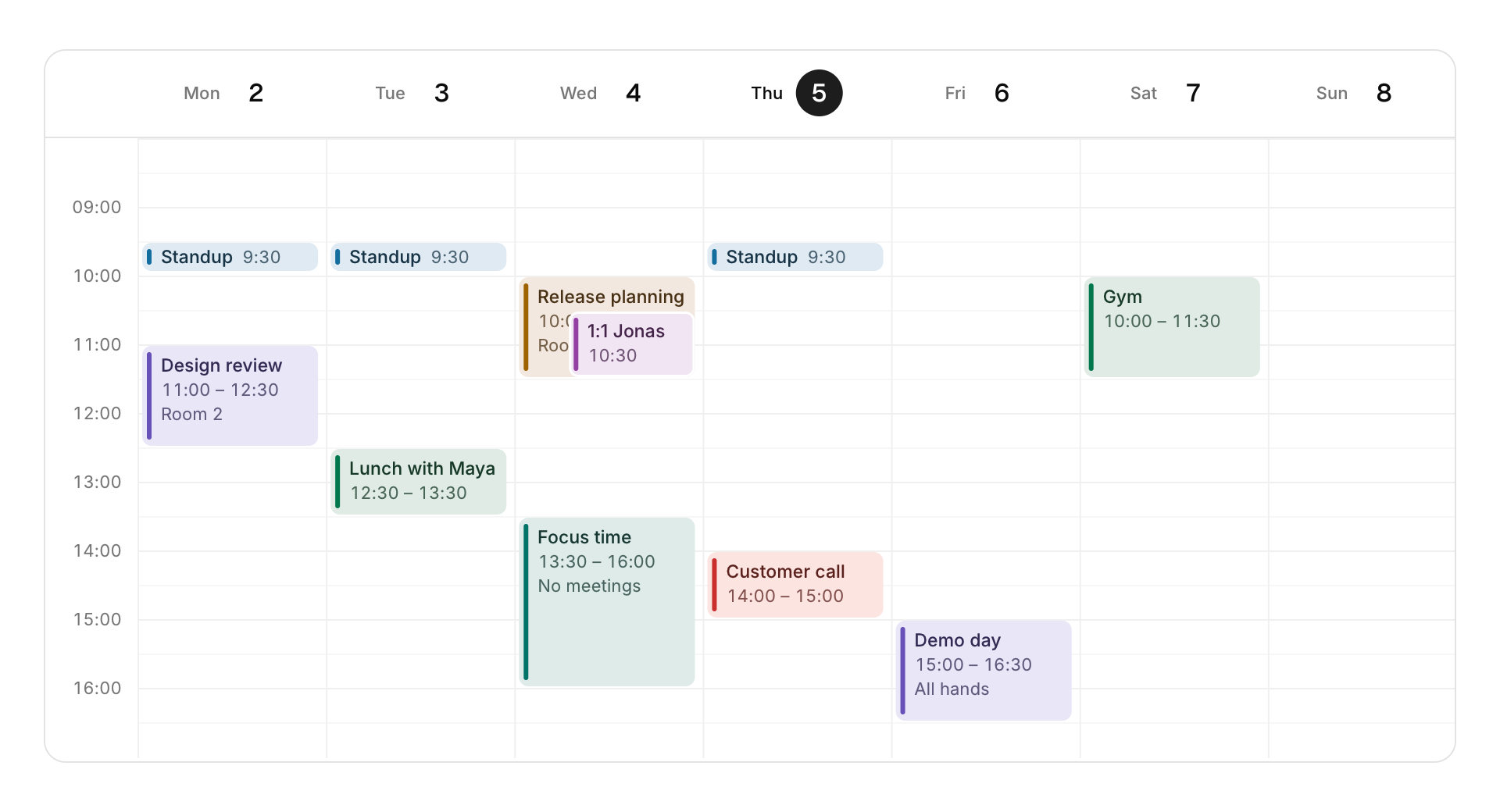
A week of timed events on a day grid, which can be moved and resized by dragging.
Functions: cui_week_calendar
Usage
static cui_cal_event events[] = {
    { "Design review", "Room 2", 0, 11, 12.5f, CUI_TONE_VIOLET },   /* Monday 11:00 to 12:30 */
    { "Focus time", NULL, 2, 13.5f, 16, CUI_TONE_TEAL },
};
int clicked = cui_week_calendar(ui, "week", monday, events, 2, .start_hour = 8, .end_hour = 18, .height = CUI_PX(460));
Drag an event to move it (it snaps to 15 minutes and keeps its length) or pull its bottom edge to resize it; the calendar writes the new times into your array. Overlapping events share the day side by side. Today is circled and a line marks the current time. read_only turns editing off but keeps clicks. With the keyboard, Up and Down move a focused event by 15 minutes, Left and Right by a day, and Shift with Up or Down changes its end.
Keyboard
- With the keyboard, Up and Down move a focused event by 15 minutes, Left and Right by a day, and Shift with Up or Down changes its end.
Options of cui_week_calendar
| Option | Type | Default | Description |
|---|---|---|---|
.start_hour | float | 7 | first hour shown, default 7; set together with end_hour |
.end_hour | float | 21 | last hour shown, default 21; used only when it is greater than start_hour |
.hour_height | float | 52 | points per hour, default 52 |
.height | cui_size | Height: CUI_FILL, CUI_FIT, CUI_PX(n) or CUI_PCT(n); unset uses the component's own. | |
.read_only | bool | Shows the value but does not let it be edited. |
cui_cal_event
| Field | Type | Description |
|---|---|---|
title | const char * | shown on the event |
detail | const char * | a second line such as the place, shown when the event is tall enough; may be NULL |
day | int | day column, 0 (the day of week_start) to 6; dragging the event changes it |
start | float | start in hours (13.5 is 13:30); dragging the event changes it |
end | float | end in hours; moving or resizing the event changes it |
tone | cui_tone | One of CUI_TONE_NEUTRAL, CUI_TONE_INFO, CUI_TONE_SUCCESS, CUI_TONE_WARNING, CUI_TONE_DANGER, CUI_TONE_VIOLET, CUI_TONE_TEAL, CUI_TONE_ROSE or CUI_TONE_ACCENT. |
cui_tone: CUI_TONE_NEUTRAL, CUI_TONE_INFO, CUI_TONE_SUCCESS, CUI_TONE_WARNING, CUI_TONE_DANGER, CUI_TONE_VIOLET, CUI_TONE_TEAL, CUI_TONE_ROSE, CUI_TONE_ACCENT
Related
- Month calendar: A month grid with the events of each day, for schedules and planners.
- Kanban board: Columns of cards the user drags between stages.
- Gantt chart: A task list on the left and a timeline that scrolls sideways, with months, day numbers and shaded weekends.
- Node editor: A canvas of nodes joined by curved links, for shader graphs, audio patching or visual scripting.