Components / Developer tools
Stack trace
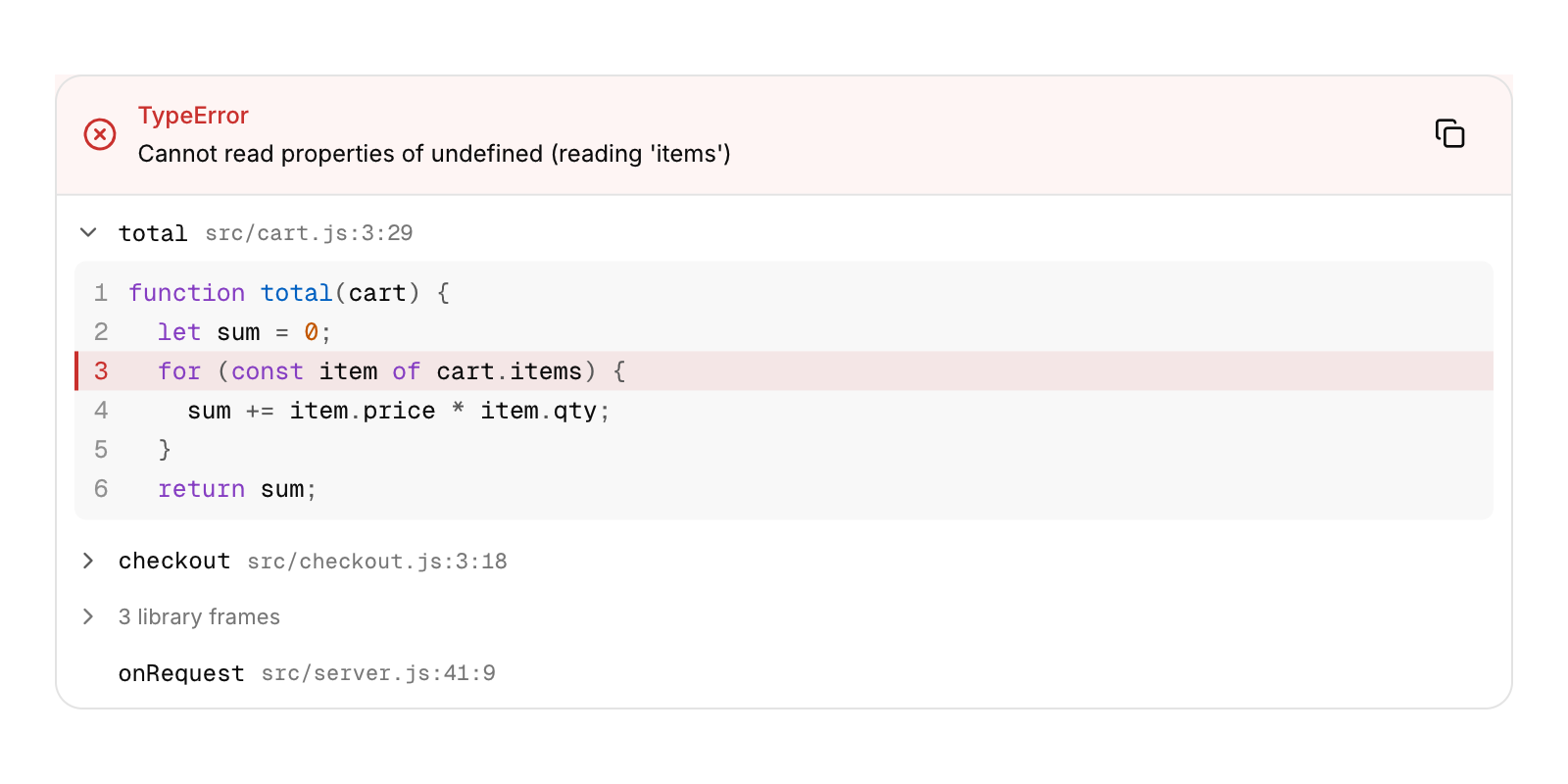
An exception with its call stack.
Functions: cui_stack_trace
Usage
static const char *const src[] = { "function total(cart) {", "  let sum = 0;", "  for (const item of cart.items) {" };
static const cui_stack_frame frames[] = {
    { "total", "src/cart.js", 3, 29, false, src, 3, 1 },          /* source lines 1 to 3 */
    { "handle", "node_modules/express/lib/router/layer.js", 95, 5, true },
};
cui_stack_trace(ui, "error", frames, 2, .title = "TypeError", .message = "Cannot read properties of undefined", .lang = "js");
The header shows the error's type and message, with a button that copies the whole trace as text. Each frame shows its function and its file, line and column. A run of library frames (external) folds into one row that unfolds on a click. A frame with source opens to show those lines, highlighted, with the frame's line marked. The first frame of your own code starts open. Frames are focusable, and Enter or Space opens one. On a phone only the file's name is shown.
Keyboard
- Frames are focusable, and Enter or Space opens one.
Options of cui_stack_trace
| Option | Type | Default | Description |
|---|---|---|---|
.width | cui_size | Width: CUI_FILL, CUI_FIT, CUI_PX(n) or CUI_PCT(n); unset uses the component's own. | |
.title | const char * | "TypeError" | |
.message | const char * | "Cannot read properties of undefined" | |
.lang | const char * | highlights the source, as the code block |
cui_stack_frame
| Field | Type | Description |
|---|---|---|
function | const char * | name of the function; NULL or "" shows as <anonymous> |
file | const char * | path shown with the line and column; on a phone only the file's name |
line | int | 1 based; 0 leaves it out |
column | int | 1 based; 0 leaves it out |
external | bool | library or runtime code |
source | const char *const * | lines around the frame, may be NULL |
source_count | int | number of lines in source |
source_first | int | line number of source[0] |
cui_stack_trace_result
| Field | Type | Description |
|---|---|---|
clicked | int | frame, or -1 |
Related
- HTTP request bar: The method, the URL and Send, as in an API client.
- Test explorer: Test results as a tree of suites and tests, each with its status and time.
- Uptime bars: A status page: each service's current state and a bar for each day of its history.
- Regex tester: A pattern, its flags and a test text, with every match and group highlighted.