Components / Inputs
Dropzone
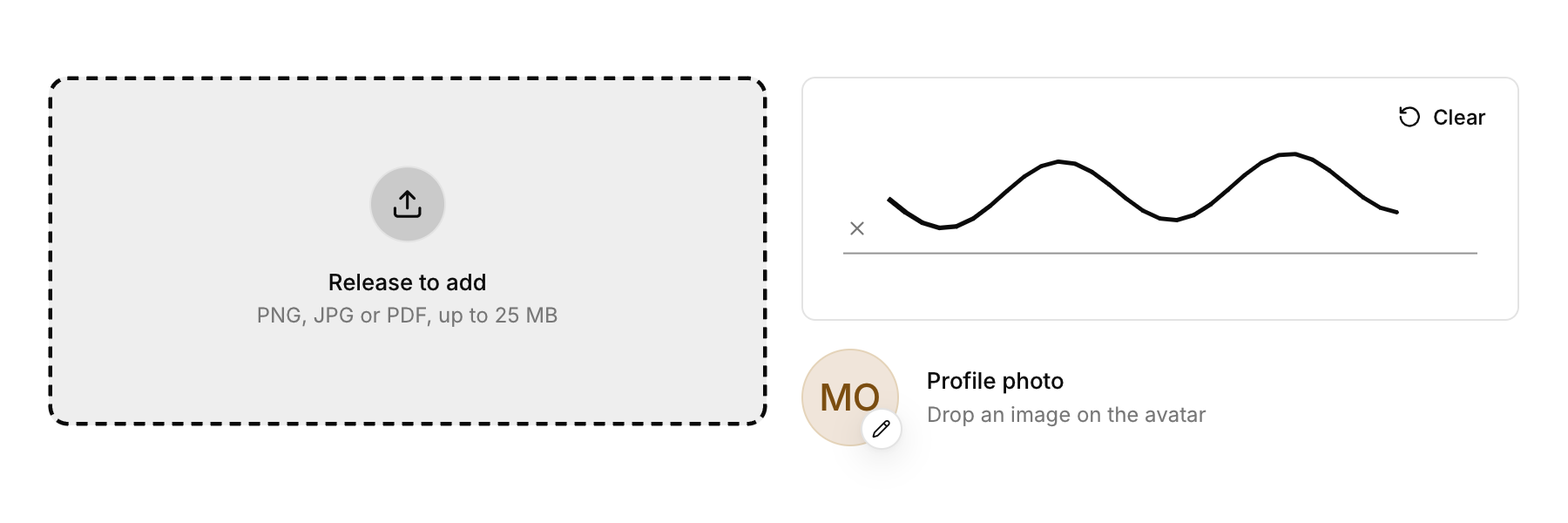
An area that takes files dropped from the desktop, and can open the system file dialog on a click.
Functions: cui_app_file_dialog, cui_dropped_file, cui_dropzone, cui_input_file_drop, cui_input_file_hover
Usage
int n = cui_dropzone(ui, "attachments", .description = "PNG, JPG or PDF, up to 25 MB", .accept = "png;jpg;pdf");
if (n > 0) for (int i = 0; i < n; i++) attach(cui_dropped_file(ui, i));
if (n < 0) { char path[1024]; if (cui_app_file_dialog(NULL, &(cui_file_dialog_opts){ 0 }, path, sizeof path)) attach(path); }
Files dragged from the desktop or a file manager highlight the zone ("Release to add") and land on it; files that do not match accept are left out and the zone says so. .compact = true makes a one line version. Drag and drop works with every built-in backend; the live hover highlight appears where the platform reports drags in progress (macOS and X11), elsewhere the drop itself still lands.
If you use your own window layer, feed drops with cui_input_file_drop(ui, paths, count, x, y) and hovering with cui_input_file_hover(ui, true, x, y). Files dropped outside any dropzone are available to the app through cui_dropped_file_count and cui_dropped_file for that frame.
Keyboard
- Tab focuses the zone, and Enter or Space acts as a click (a negative count), which is where you open your file dialog.
Options of cui_dropzone
| Option | Type | Default | Description |
|---|---|---|---|
.title | const char * | "Drop files here" | default "Drop files here" |
.description | const char * | "or click to browse" | default "or click to browse" |
.icon | const char * | An icon: a CUI_ICON_* constant, or a string from another icon font. | |
.accept | const char * | extensions it takes, separated by semicolons, e.g. "png;jpg;pdf"; NULL takes any file | |
.height | float | 160 | default 160 |
.width | cui_size | Width: CUI_FILL, CUI_FIT, CUI_PX(n) or CUI_PCT(n); unset uses the component's own. | |
.compact | bool | one row instead of a tall area |
Related
- Avatar upload: A profile picture you replace by dropping an image on it.
- Shortcut recorder: A field that records a key combination, for settings where people choose their own shortcuts.
- Signature pad: A box to sign in with the pointer or a finger, with strokes you can read back.
- Prefix and suffix: Fixed text before or after a field's value, such as https:// or a unit.