Components / Conversation and media
Chat
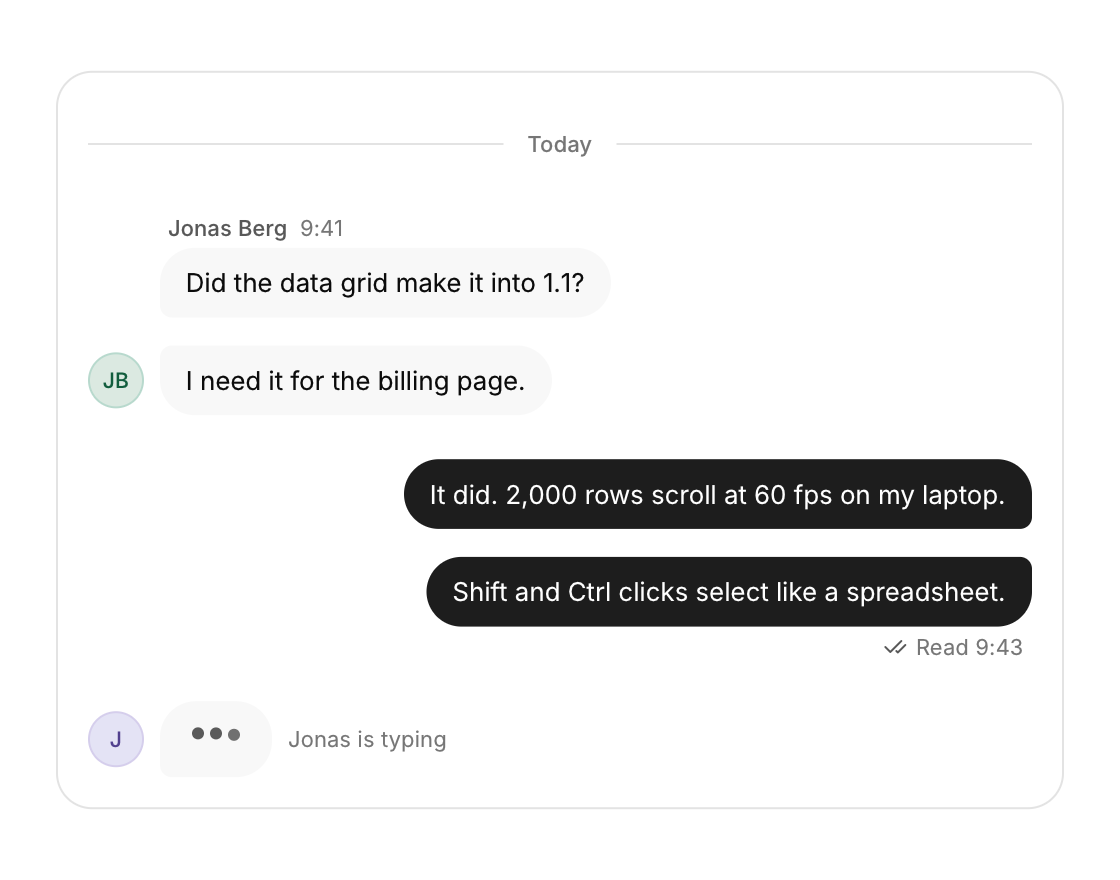
Message bubbles for a conversation, with grouping, dividers and a typing indicator.
Functions: cui_chat_divider, cui_chat_message, cui_typing_indicator
Usage
cui_chat_divider(ui, "Today");
cui_chat_message(ui, "Did the data grid make it into 1.1?", .author = "Jonas Berg", .time = "9:41", .last_in_group = false);
cui_chat_message(ui, "I need it for the billing page.", .author = "Jonas Berg", .grouped = true, .last_in_group = true);
cui_chat_message(ui, "It did. 2,000 rows scroll at 60 fps on my laptop.", .mine = true, .status = "Read", .time = "9:43");
cui_typing_indicator(ui, "Jonas");
Grouped messages stack tightly with the avatar on the last bubble and tighter inner corners. Your own messages sit on the right in the primary color. The typing dots bounce in sequence. With .markdown = true a message renders its text with the markdown view, so an assistant's reply can carry lists, code and links.
Options of cui_chat_message
| Option | Type | Default | Description |
|---|---|---|---|
.mine | bool | right aligned, accent bubble | |
.author | const char * | name above the first bubble of a group | |
.time | const char * | shown after the author's name; on your own messages after status | |
.status | const char * | under your own last message, e.g. "Read" | |
.grouped | bool | continues the previous message | |
.last_in_group | bool | shows the avatar (others) and status (mine) | |
.avatar | cui_texture | picture for the sender's avatar instead of initials (other people's messages) | |
.markdown | bool | render the text with cui_markdown (compact, as wide as it needs) | |
.markdown_result | cui_markdown_result * | optional: links and task toggles the markdown reported |
Related
- Markdown view: Renders markdown text as native content: headings, lists, tables, code, task lists and links.
- Comments: A comment with its author, time, replies indented under it and a like button.
- Presence, counter and ticker: Small live pieces: who is here now, a number that rolls when it changes, and a line of text that scrolls past.
- Carousel: A strip of slides the user drags or steps through, one at a time.