Components / Data display
Accordion
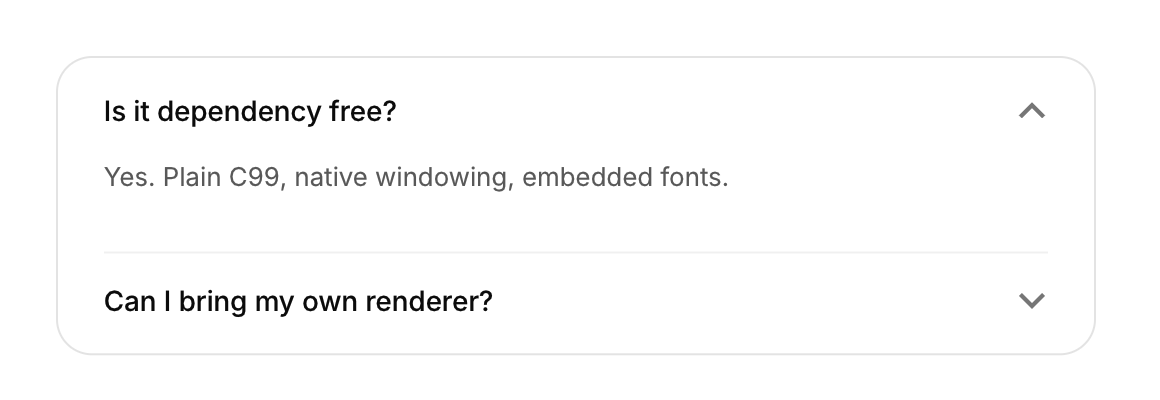
Sections that fold open and closed under their headers.
Functions: cui_accordion_begin, cui_accordion_end
Usage
static bool open = true;
if (cui_accordion_begin(ui, "Is it dependency free?", &open)) {
    cui_secondary(ui, "Yes.");
    cui_accordion_end(ui);
}
The content animates its height on a smooth spring and the chevron rotates.
cui_accordion_begin returns true while the section is open or still closing, and only then do you add its content and call cui_accordion_end, as the if above does. open is your bool and must not be NULL: a click on the header flips it, and setting it from code opens or closes the section with the same animation. Each section has its own bool, so several can be open at once; to keep one open at a time, clear the others when one turns true. The title is also the identity, so two sections with the same title in one scope need a key ("Details##billing"). For a card that opens, use the expandable card.
Keyboard
- Tab moves through the headers, and Enter or Space opens or closes the focused one.
Related
- Timeline and progress ring: A vertical list of events in order, and a ring that fills with a percentage.
- List and tree: List rows with an avatar or an icon, a title and a detail line, and a tree of items that fold.
- Reorderable list: A list whose rows the user drags into a new order.
- Table: Rows and columns of your data, with sortable headers, selectable rows and any component in a cell.